Paste anything
Long threads, meeting notes and follow-ups, as text.
Platform · Action Inbox
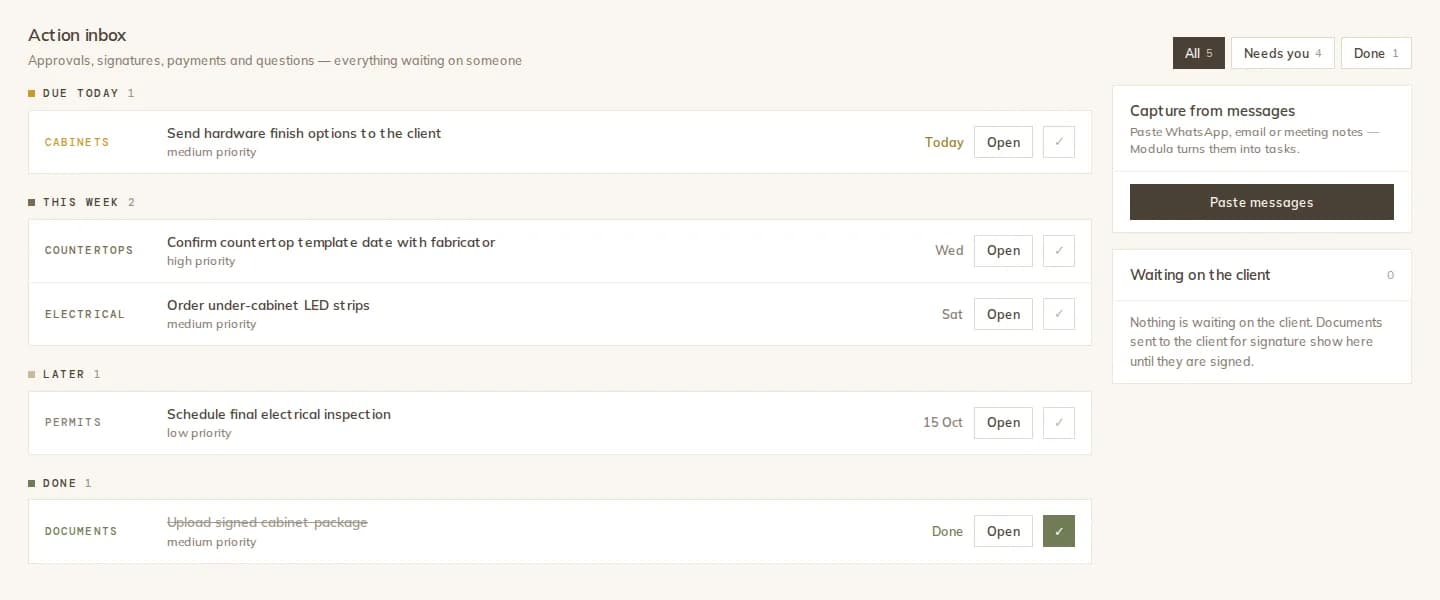
Copy a long thread from a client, your meeting notes or a supplier's follow-up, and paste it in. Modula pulls out the action items, warns you about tasks the project already has, and adds only the ones you pick.
How it works
Paste the text of a conversation, meeting notes or follow-ups into the project's Action Inbox.
The AI reads the text for action items only, and writes a short summary with key topics and open questions.
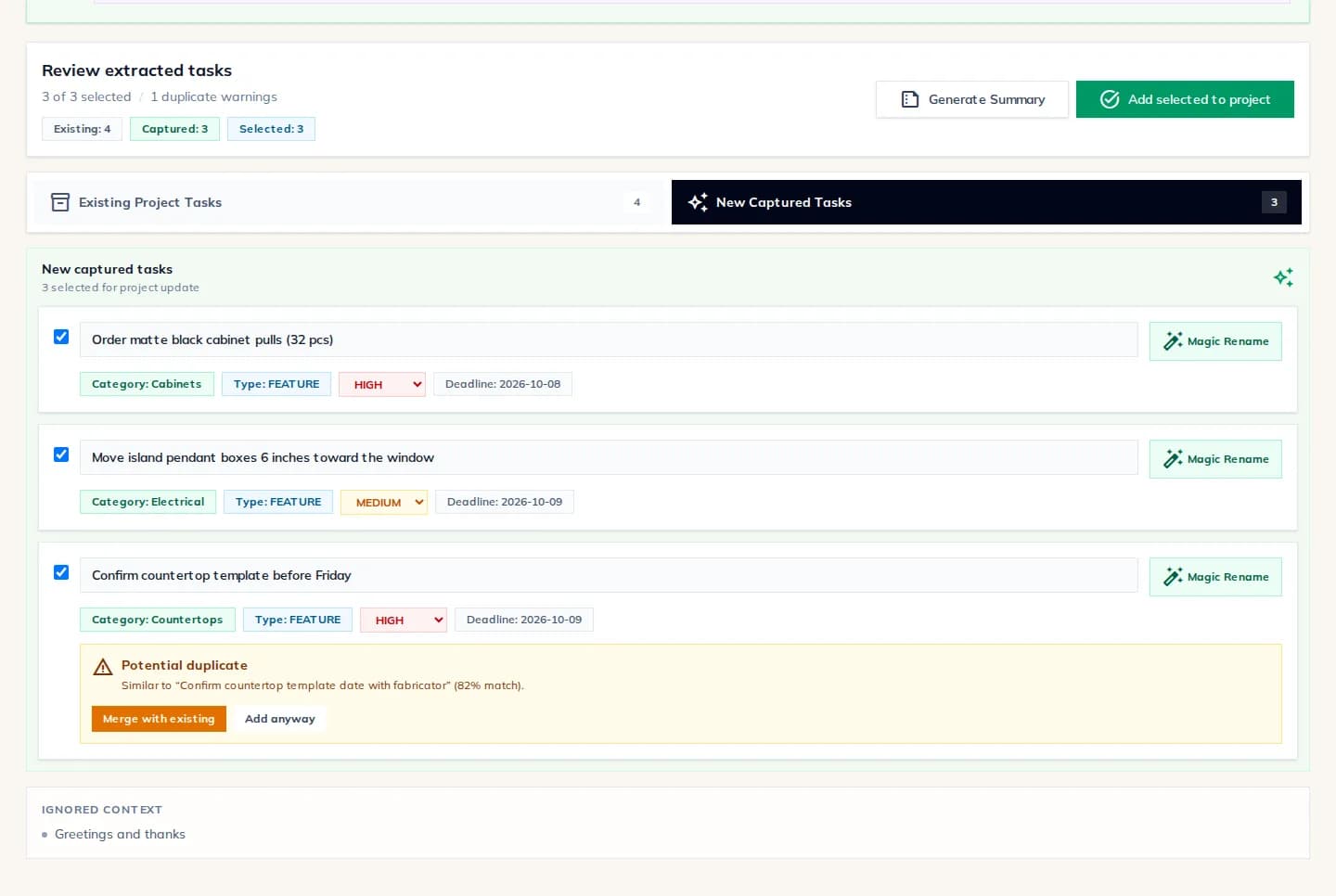
Each captured task shows its due date and priority. Likely duplicates of existing tasks are flagged: merge, rename or add anyway.
Add the selected tasks. The raw pasted text is not stored after analysis.
Review
Captured tasks arrive with a category, priority and deadline you can change. A task that looks like one the project already has is flagged with its match score, so you can merge it instead of adding a duplicate.
Task summary
Pick a date range and a task type and generate a concise, client-ready summary of pending and completed tasks. Download it as a PDF, save it to the project's documents, or send it to the client.
What you get
Long threads, meeting notes and follow-ups, as text.
Small talk is ignored; only tasks come out.
Summary, key topics and open questions.
Similar existing tasks shown with a match score.
Open, today, this week and done, by priority or type.
Saved to documents or sent to the client.
The details
The Action Inbox reads text you paste. It does not connect to WhatsApp, email or text messages, and it does not read handwriting.
FAQ
Works with
Paste the conversation and keep only what needs doing.