Project library
Plans, permits, specs, legal documents and photos together.
Run the job · Documents
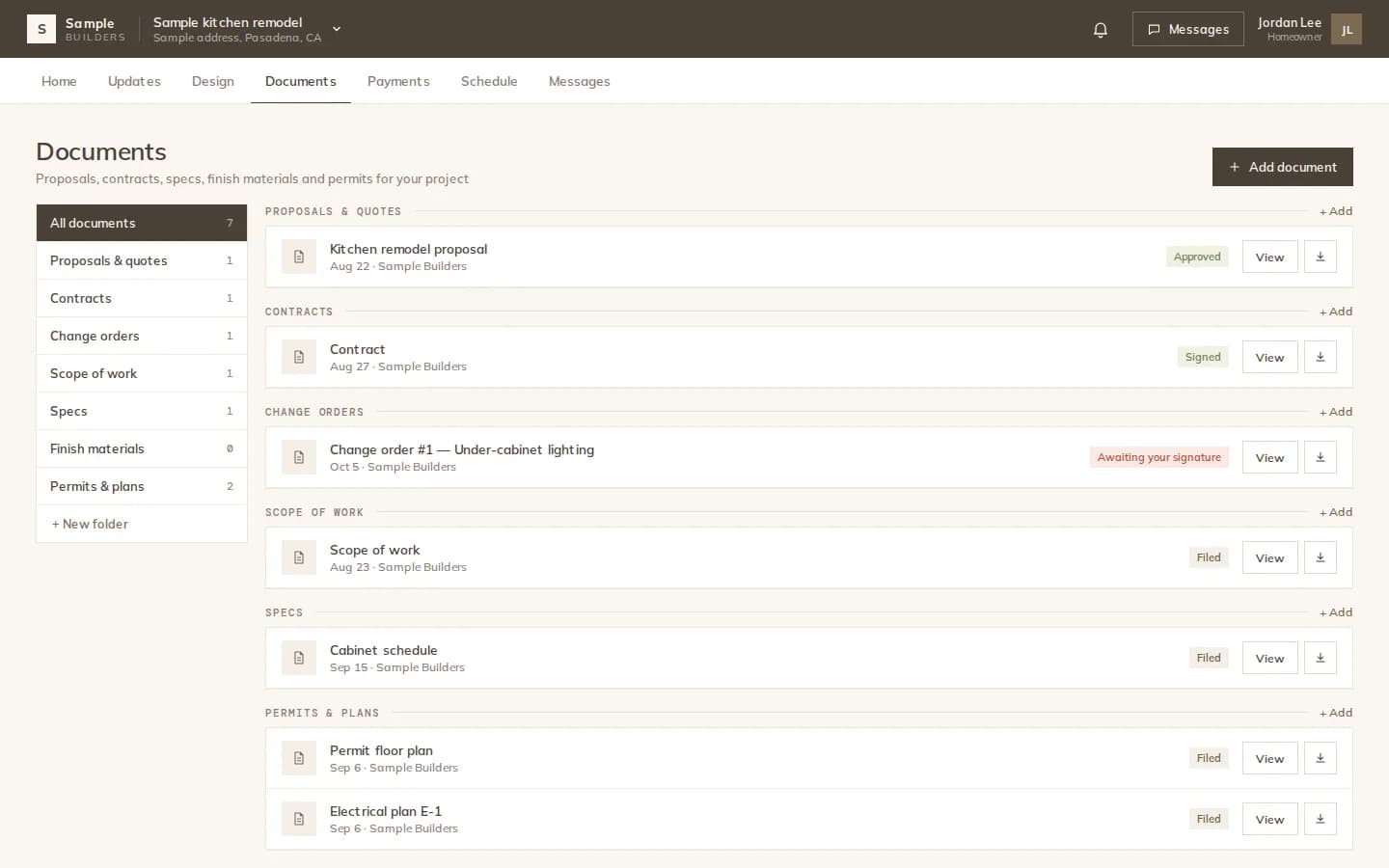
Drawings, specs, permits, contracts, quotes and site photos live on the project. Decide per document who sees it, send a read-only link you can turn off, and know when it was opened.
How it works
Exported drawings, the cabinet package, the material list PDF, signed contracts and uploads are saved to the project's documents.
Flip Share with client or Share with contractors on each document. Nothing goes out by default.
Copy a read-only link, send it by email or WhatsApp, or send the PDF for signature.
Tracked links
A document link opens a read-only PDF page. It expires after 30 days by default, counts its views and records when it was last opened, and you can turn it off at any time. Only a hash of the link is stored.
Organized
Floor plans, measurements, specs, permits, legal documents, export packs and other files each have their place. On multi-space projects, contracts, quotes and invoices can be labeled with the spaces they concern.
What you get
Plans, permits, specs, legal documents and photos together.
Selected documents appear in the client's portal.
Give the crew the drawings without the client's payments.
Expiring, trackable PDF links you can turn off.
Email a document to sign, with signature and date boxes placed.
Every document available as a PDF.
The details
FAQ
Works with
Save, share and track every document on the project.