Scope checklist
Their part of the scope of work, as a checklist.
Run the job · Contractor portal
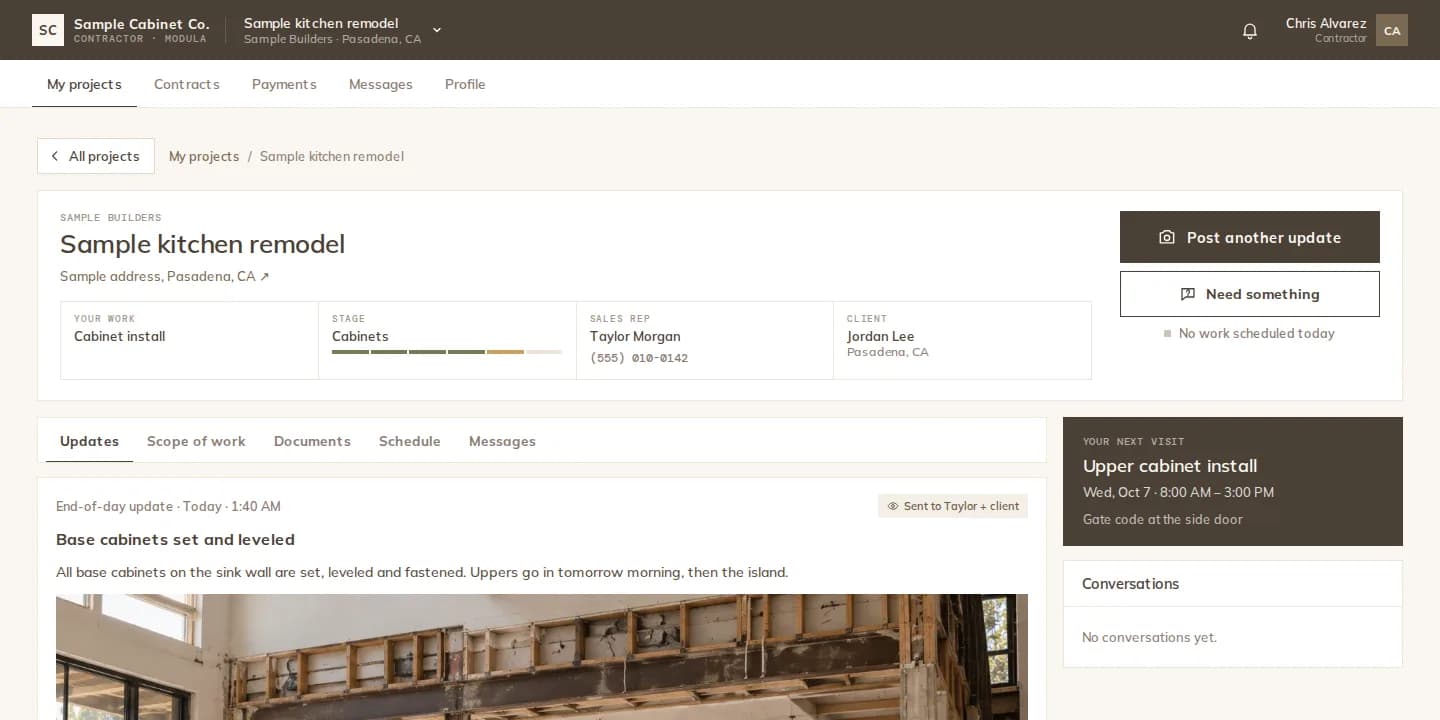
Invite a contractor from the project. They get their own portal with their scope, the drawings you share and the schedule. They post the day's update with photos, ask questions, and request payment for a finished stage.
How it works
Invite → Contractor, with their email. They accept and land on the projects they are assigned to.
Their scope checklist, the documents you share with contractors, your notes and the schedule.
They post today's update with photos, or ask for something they need. You choose what the client sees.
They request payment for a stage they finished. The office approves it and the schedule moves forward.
Field updates
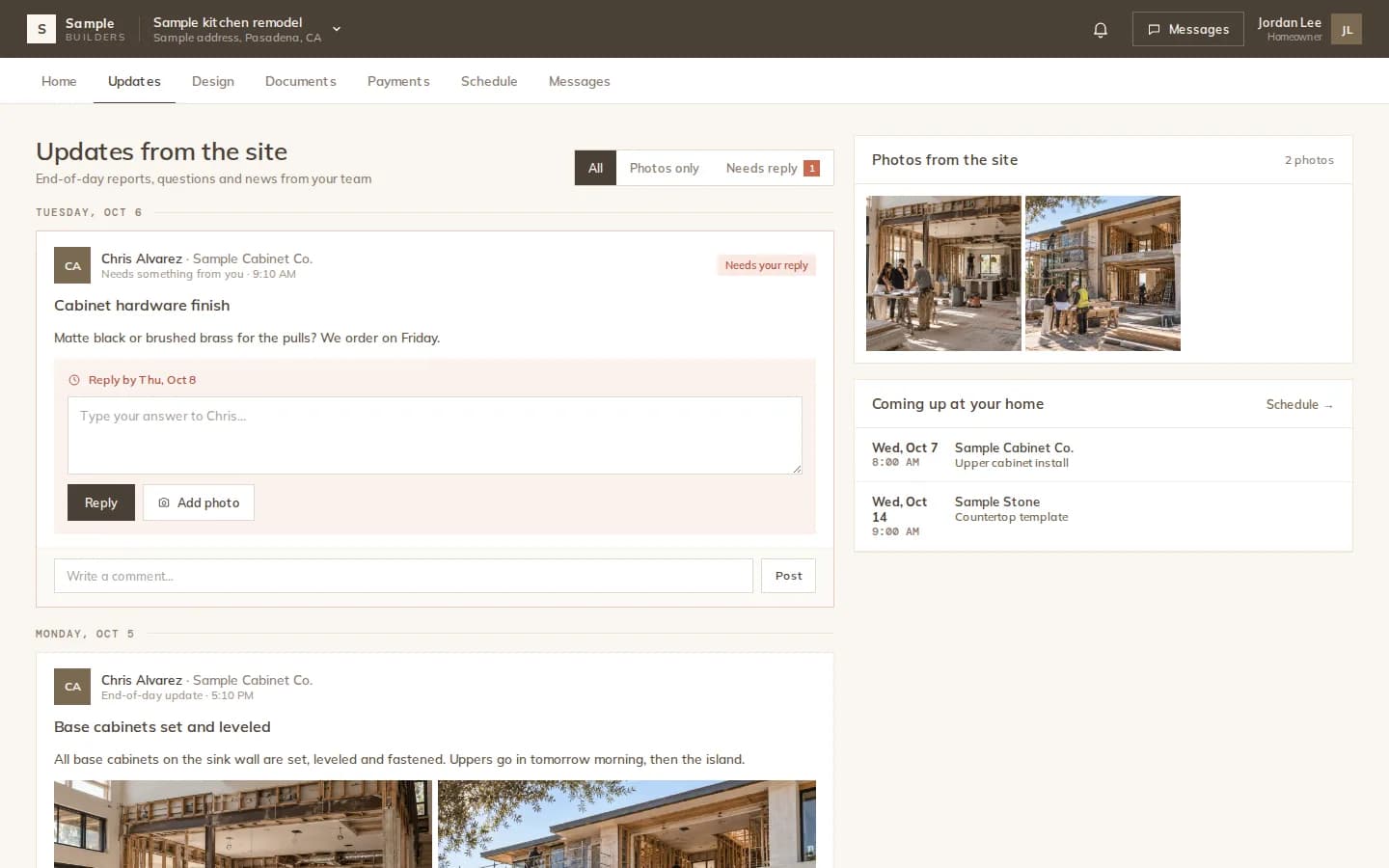
Contractors post what got done today with photos, and questions that need an answer. Updates marked for the client show up in the client's Updates tab, with comments under each one.
Payments
A contractor requests payment on one of their stage payments. Modula prepares the request as a PDF on their letterhead, marks the stage as done, and the office approves and records the payment, with the receipt attached.
What contractors get
Their part of the scope of work, as a checklist.
Drawings and specs you share with contractors.
Notes the office or salesperson sends to them.
Today's update with photos, or a request for something they need.
Their contract and payment schedule, signed online.
Per stage, on their own letterhead with their logo.
The details
FAQ
Works with
Scope, drawings, updates and payment requests in one portal.