Contract templates
Your office's contract with merge fields, scope and payments.
Run the job · Contracts & invoices
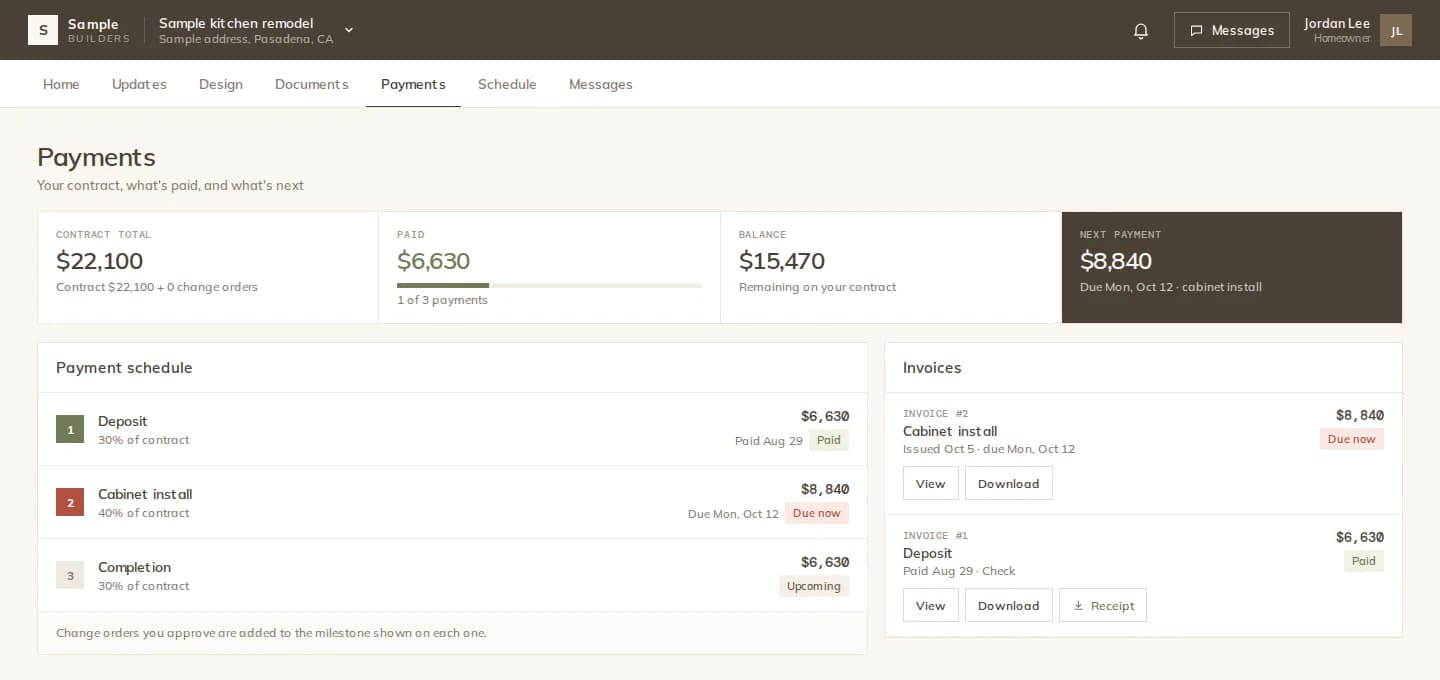
Write the contract from your template and attach the payment schedule. When it is signed, the schedule becomes the project's payments. Change orders update the schedule and the billing, and every invoice, reminder and receipt is tracked on the project.
How it works
Create the contract from your template. Enter the amount and the stage payments, each with its due point.
The client signs online. The signed schedule becomes the project's payments automatically.
Turn on automatic stage invoices and a draft invoice is prepared when a stage is due. You review it and send it.
Send reminders for invoiced and overdue payments, mark them paid, and the client can download the invoice and the receipt.
Change orders
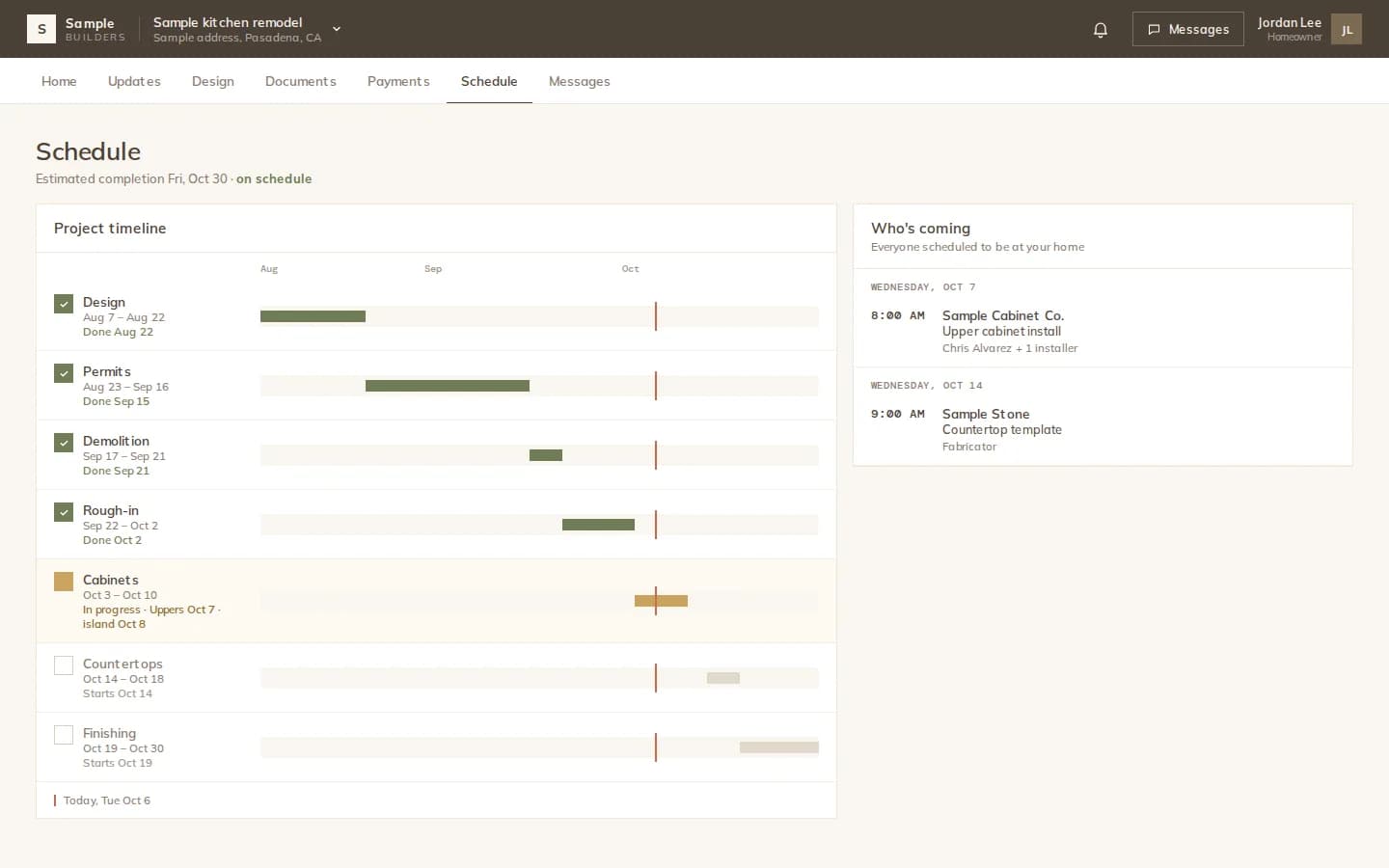
A change order says what changes, by how much, and how many working days it adds to which phase. Bill it into an upcoming payment, spread it over the remaining stages, or bill it separately. Once signed, later phases move by the days it adds, once and only once.
Payments
The Payments screen lists every client payment by status. Invoices are emailed from your office with its branding; reminders go out with one click, and the Today view tells you whom to remind.
What you get
Your office's contract with merge fields, scope and payments.
Stage payments with due points, attached to the contract.
Amount, schedule days and billing method, signed online.
Numbered invoices emailed to the client, drafted per stage if you like.
Remind clients about invoiced and overdue payments.
Receipt PDFs for paid invoices, in the client's portal.
The details
Modula does not process payments. Clients pay you the way you already accept payment, and you mark the payment as received.
FAQ
Works with
Contracts, change orders, invoices and receipts, all tied to the project.