Lead assignment
The office assigns each appointment to a rep.
Run the job · Calendar & leads
The office assigns appointments to sales reps. Reps see their day, open the lead's file at the kitchen table, and report the result. A sold lead becomes a project in the office, with everything the rep already designed.
How it works
The office adds the lead with its meeting date and assigns it to a sales rep.
Leads show in the rep's dashboard and on the calendar, next to their own Google or iCal events.
Sold, demo, follow-up, one-leg, no-show, rescheduled, canceled, not qualified or not relevant.
On Sold, the rep's project for that client moves into the office, or a new one is created.
For the office
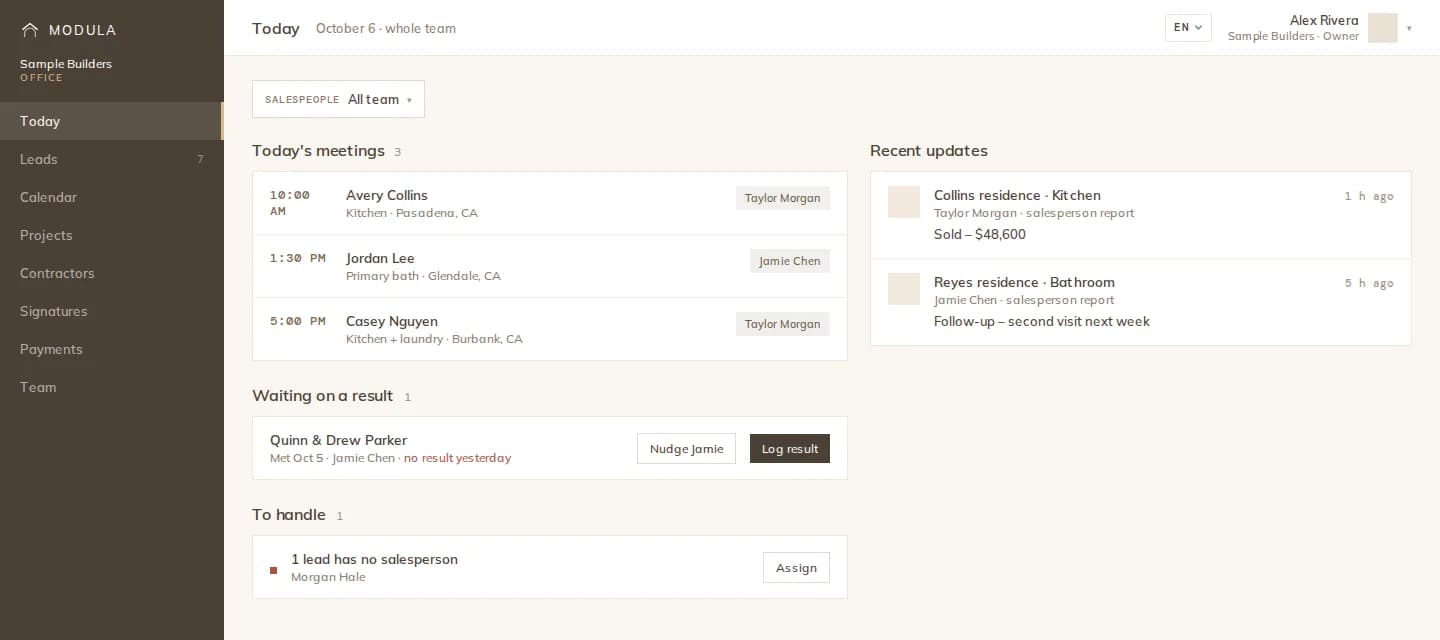
The Today view lists what to handle (meeting results to log, clients to remind, payment requests) and recent updates from reps, projects and the field. Nudge a rep to log a result with one click.
Your own calendar
Connect Google Calendar with Google sign-in, or paste a calendar's iCal address. Events are read on connect, on Sync now and on a schedule, and shown read-only in your dashboard calendar. Nothing is written back.
What you get
The office assigns each appointment to a rep.
The lead's details, meeting and linked project in one place.
Nine result types, so follow-ups never fall through.
Leads calendar, week calendar and each person's own calendar.
Import events read-only; the feed address is stored encrypted.
What the office needs to handle, and what just happened.
The details
FAQ
Works with
Appointments, results and sold projects on one calendar.