Live standing
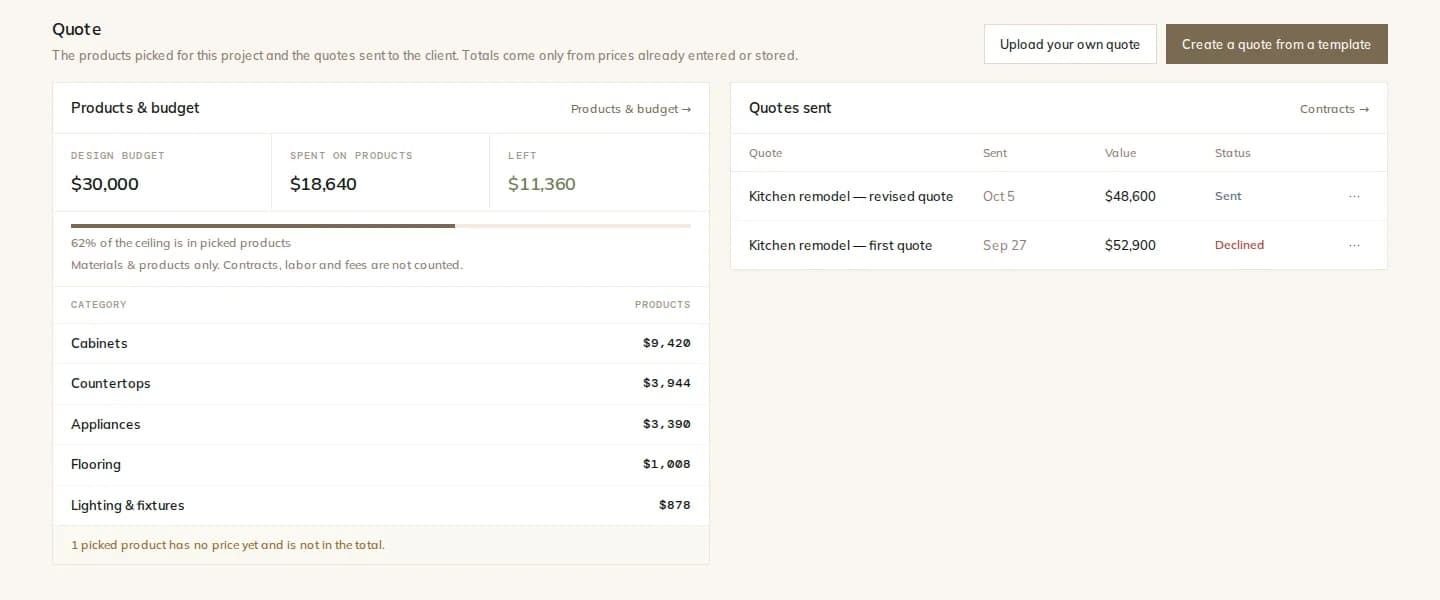
Spent, left and percentage used, as products are chosen.
Price · Budget
Set a budget for the design's materials and products. As you choose products, Modula adds up their store prices and shows what is spent and what is left, so the client sees the trade-offs before they fall in love with a faucet.
How it works
One number for the materials and products of the design. Pick a starting package level per category if you want a guide.
Each chosen product counts once at its stored store price. Products without a price are named, not guessed.
Spent on chosen products, left to spend, or over budget, with the percentage used.
Suggestions that respect it
Automatic product suggestions give each item a target price from the room's budget, prefer products in that band, and step down to less expensive options while the total is over the budget. The proposal always shows its total against the budget.
By room
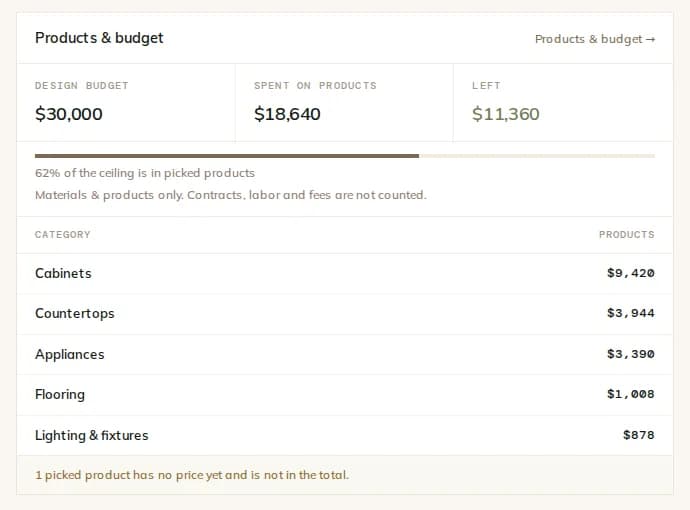
When the plan has labeled rooms, the spent amount is split by room, so you can see which room is carrying the budget.
What you get
Spent, left and percentage used, as products are chosen.
Starting package levels per category as a guide.
No estimates and no AI prices, ever.
Spend split across labeled rooms.
Proposals that aim at the budget and report their total.
The Quote tab totals the chosen products against the budget.
The details
Contract amounts, payment schedules and invoices live under Contracts & invoices, separate from the design budget.
FAQ
Works with
Set the design budget and choose products with the standing in view.