Renders
Real-products renders and inspiration renders, full size.
Design · Sharing with clients
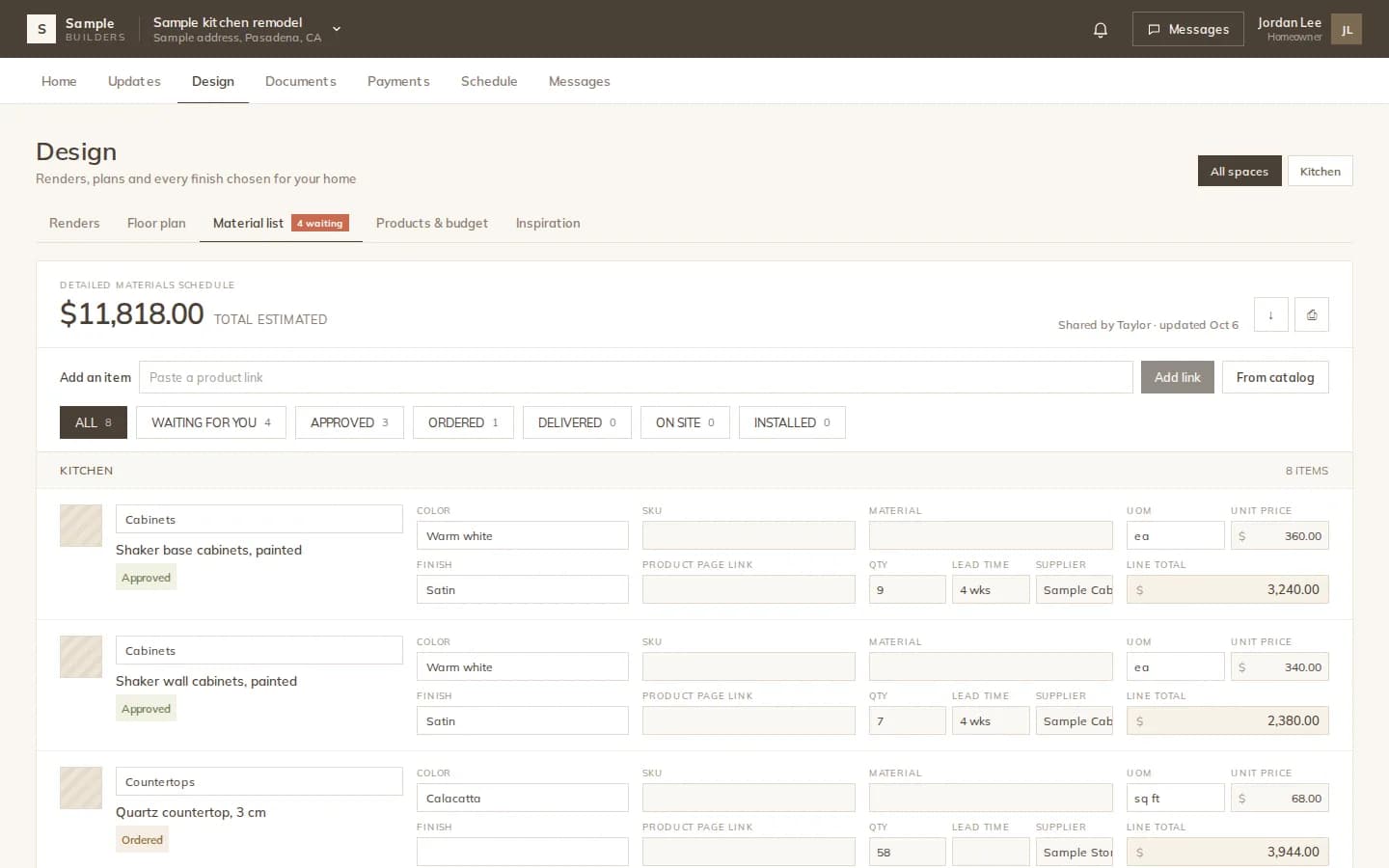
Share renders, the 360° tour and the material list with the client, and they approve or ask for changes on each one. Need a partner or a designer on the project? Send a view or edit link.
How it works
Renders from the Documents folder, the 360° tour, or the material list. Nothing is visible to the client until you share it.
It appears in the Design tab of their client portal. They approve, request changes or comment.
Every approval and change request is on the project, next to the item it is about, with a notification to you.
Project links
Create a share link with Viewer or Editor access. Make it a team link anyone with it can use, single use for the first person who accepts, or bound to one email address. Email it from Modula with a short message.
Approvals
Renders and tours carry their own Approve and Request changes buttons. For the material list, your salespeople set the status the client sees on each row, and the client approves.
What you can share
Real-products renders and inspiration renders, full size.
Walkthrough tours with day and night panoramas.
The list with products, quantities and statuses.
Read-only PDF links that expire and can be turned off.
View or edit links for partners and designers.
You hear when the client approves or asks for a change.
The details
FAQ
Works with
Share the design with your client and keep every decision on the project.