First-person walk
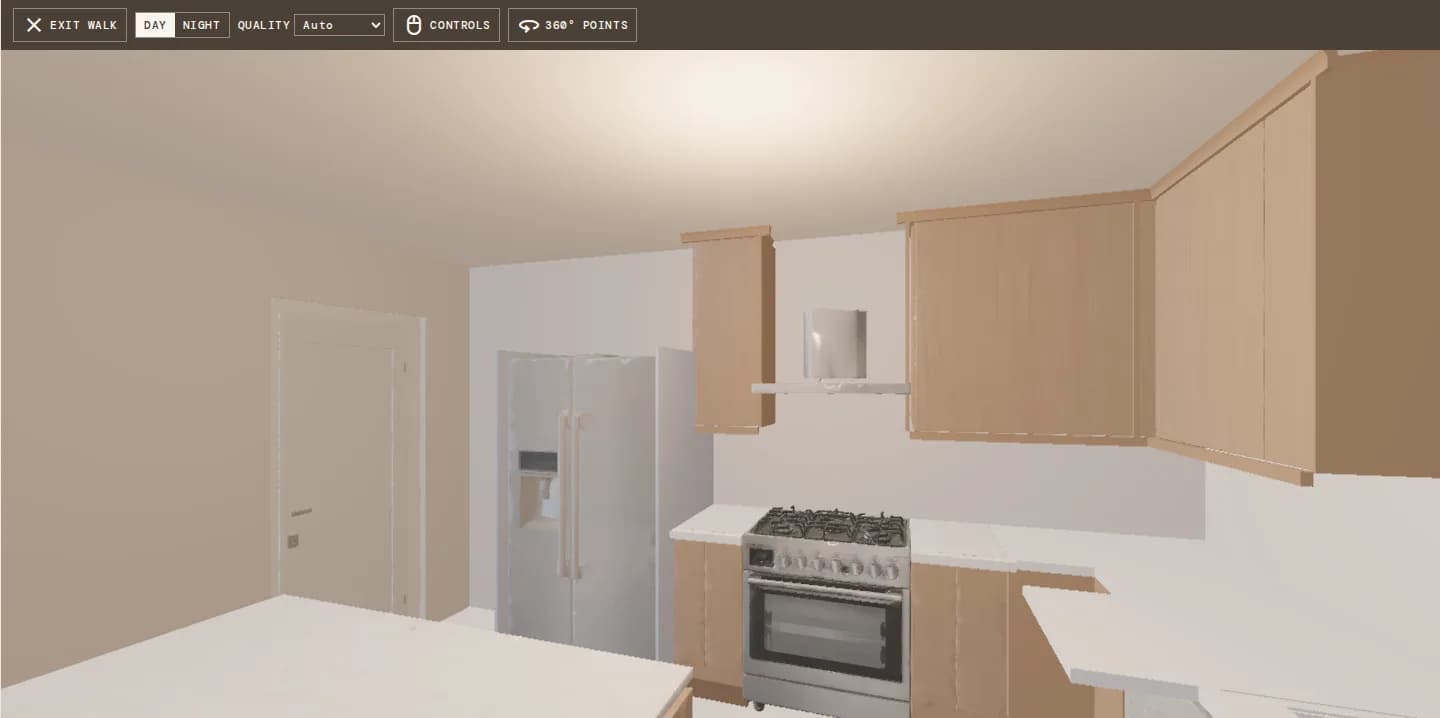
Eye-height camera with collision, ceilings and natural light through the openings.
Design · 3D walkthrough
Walk through the design at eye height with the products on the walls and floors, or place 360° points and share a tour your client can open on any phone. They approve it or ask for changes, right from their portal.
How it works
Open walk mode: an eye-height view of the plan with ceilings, warm room lights and the products you picked. Keyboard, drag-to-look or the touch stick.
Drop points where you stand, on the mini-map, or take the suggested point for each room.
Day and night panoramas are rendered in the browser from the 3D scene and saved with the project.
Send it to the client. They jump between points, switch day and night, and approve or request changes.
In the room
Walk mode paints the chosen products on their objects and surfaces. Click a cabinet front, counter or faucet to see the product and change it, and render from exactly where you stand.
The tour
The viewer is a plain image viewer, so it opens fast on phones. A mini-map shows the rooms and the points; tap a floor marker or the map to move. If the plan changes after you shared, you are told the tour is out of date.
What you get
Eye-height camera with collision, ceilings and natural light through the openings.
Rendered from the 3D in the browser, for day and for night.
Top view of walls, rooms, points and where you are.
Move on an iPad or phone the way 3D tour apps do.
Approve or request changes on the tour, like on a render.
Flags tours shared before the plan changed, with a way to send an updated one.
The details
FAQ
Works with
Turn the plan into a 360° tour the client can approve from their phone.